
Oppo Watch S
$249.00Oppo Watch S Review: The Slim Smartwatch That Actually Gets It Right
Let’s Start With a Confession
I’ll be honest — when I first unboxed the Oppo Watch S , I rolled my eyes a little.
Another round smartwatch. Another slab of glass and metal promising to track my sleep, count my steps, and probably guilt-trip me about sitting too long. I’ve reviewed enough wearables to know that most of them look great on paper but feel clunky in real life. Too thick. Too heavy. Too much.
But here’s the thing: I was wrong.
Within about 48 hours, this thing had quietly worked its way into my daily routine without me even noticing. And that, right there, is the point of this Oppo Watch S review. It’s not about flashy gimmicks or specs that look impressive in a press release. It’s about a device that disappears on your wrist — until you need it.
Let me explain.
What Exactly Is the Oppo Watch S?
Before we get into the weeds, let’s set the stage. The Oppo Watch S is the company’s latest smartwatch, sitting comfortably in the mid-range segment but punching way above its weight class in a few key areas .
It launched globally in early 2026 (after a debut in China late last year) with a simple mission: deliver flagship-level health tracking in a body that doesn’t feel like a brick strapped to your arm .
The name? Pretty sure the “S” stands for Slim. And honestly? They earned it.
Here’s the quick-hit spec sheet for the numbers people:
- Display: 1.46-inch AMOLED, 464×464 resolution, 60Hz refresh rate
- Peak Brightness: 3,000 nits (yes, you read that right)
- Thickness: 8.9mm
- Weight: 35g (without strap)
- Battery: 330mAh, up to 10 days claimed
- Sensors: 8-channel heart rate, 16-channel blood oxygen, ECG electrode, wrist temperature
- Durability: 5ATM + IP68
- Connectivity: Bluetooth 5.2, dual-band GPS (L1+L5)
- Price: €199–€259 depending on market (roughly $210–$275 USD equivalent)
But specs are boring. Let’s talk about what this thing actually feels like.
First Impressions: Wait, Is This Thing On?
I remember putting it on for the first time and literally checking my wrist twice to make sure I hadn’t forgotten to wear it.
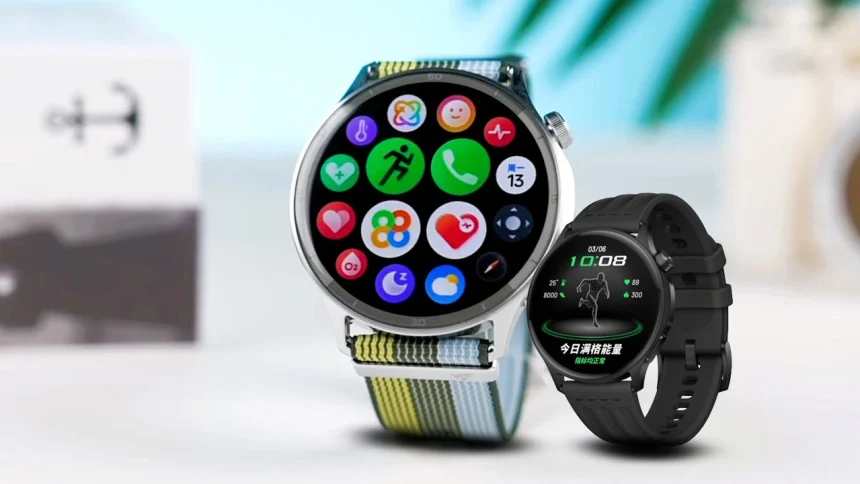
That sounds like marketing fluff, I know. But the Oppo Watch S is genuinely thin. At 8.9mm and 35 grams, it’s noticeably lighter than my usual daily wearables . The stainless steel frame gives it a premium heft visually, but on the wrist, it just… disappears .
The version I tested was the Phantom Black with the fluoroelastomer sport strap. It’s soft, flexible, and doesn’t trap sweat during workouts. There’s also a Silver Gleam variant with a woven nylon strap that looks sharp if you want something more casual .
Now, a quick tangent here: I’ve got relatively small wrists (about 16cm), and I was worried the 46mm case would look comically oversized. Surprisingly, it doesn’t. The lug design curves nicely, and the thin profile means it sits on your wrist rather than towering above it .
The 2.5D curved glass edges make swiping feel natural — no sharp edges digging in . And the single rotating crown? Solid clicky feedback. Not as smooth as Apple’s digital crown, but perfectly usable.
That Display: 3000 Nits Changes the Game
The Oppo Watch S packs a 1.46-inch AMOLED panel that hits a peak brightness of 3,000 nits .
Here’s the thing: most smartwatches claim “outdoor visibility.” What they usually mean is “you can sort of see the time if you squint and find some shade.” The Watch S? I tested it during a noon run on a cloudless summer day — direct sunlight, zero shade. The display was crystal clear .
Now, full disclosure: that 3,000-nit mode only kicks in automatically during outdoor workouts to save battery . Normal usage tops out at 1,500 nits, which is still brighter than most competitors. But honestly? Having that extra headroom when you need it feels like a superpower.
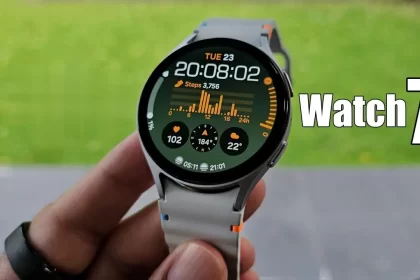
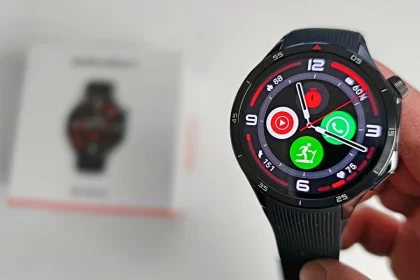
Colors pop. Blacks are deep (it’s AMOLED, so obviously). The 60Hz refresh rate keeps animations buttery smooth — no jank when scrolling through widgets or switching watch faces .
And speaking of watch faces: there are over 350 to choose from in the app . Some are useful (loaded with complications), some are just pretty. I’m a sucker for the classic analog ones with second hands that sweep smoothly at 60fps.
Real-World Performance: Living With the Watch S
I wore the Oppo Watch S for two weeks straight. Sleep tracking, workouts, workdays, weekends — the whole deal.
Health Tracking: ECG and the 60-Second Wellness Check
Let’s get the big one out of the way: ECG is here.
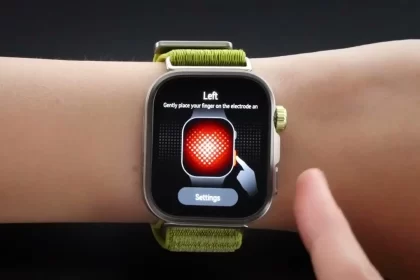
At this price point, that’s rare. The Oppo Watch S includes an electrode heart rate sensor that lets you take a 30-second ECG reading, flagging signs of atrial fibrillation or irregular heart rhythms . The accompanying app (OHealth) presents the data cleanly, and the whole thing has Class II medical device certification in several markets .
But — and this is a big but — ECG availability seems to vary by region . In some European markets, Oppo’s product pages don’t mention it at all. If this matters to you, double-check before buying.
The marquee feature is the 60-Second Wellness Overview . Tap the electrode on the crown, hold still for a minute, and the watch spits out a health snapshot covering heart rate, blood oxygen, stress levels, wrist temperature, and more. It’s fast, it’s easy, and it actually makes me check in with my body more often.
Sleep tracking? Solid. It captures light, deep, and REM stages accurately — comparable to my dedicated sleep tracker . It even grabs short naps (as brief as 20 minutes), which is rare .
Sports and Fitness: Surprisingly Deep
I’m not an elite athlete, but I run 3–4 times a week and play casual badminton. The Watch S handled both well.
The dual-band GPS locks on fast — even in areas with tall buildings . Track accuracy was within a few meters of my phone’s GPS. For runners, you get advanced metrics like ground contact time, vertical oscillation, and even estimated lactate threshold heart rate .
But here’s where it gets interesting: racket sports.
The Watch S tracks pickleball, tennis, and badminton specifically . During a badminton session, it logged my swing count, backhand vs. forehand ratio, and swing speed. Was it 100% accurate? Hard to say. But seeing trends over time is genuinely useful for improving your game .
There’s also a Heart Rate Broadcast feature that pairs with gym equipment (treadmills, exercise bikes) to display your heart rate on their screens . Small touch, but nice if you’re a gym regular.
Battery Life: Close to the Claim
Oppo claims up to 10 days of battery life. In my real-world test, with:
- Always-on display off
- Heart rate monitoring on
- Sleep tracking nightly
- 3 GPS workouts per week (45–60 mins each)
…I hit 8 days before hitting 10% .
With always-on display enabled, expect closer to 4 days . Charging is via a magnetic pogo-pin dock (no wireless charging, sadly), but 10 minutes on the charger gets you through a full day .
The Software Situation: ColorOS Watch
Okay, let’s address the elephant in the room.
The Oppo Watch S runs ColorOS Watch, not Wear OS .
Depending on your perspective, that’s either a smart move or a dealbreaker.
The Good:
- The interface is slick, colorful, and responsive
- Notifications are handled well (emoji support, Vietnamese characters displayed correctly — a rare win)
- Dual-phone connectivity — you can pair the watch with two phones simultaneously and receive notifications from both . If you carry a work phone and personal phone, this is incredibly convenient
- Battery life benefits from the lightweight OS
The Not-So-Good:
- No third-party app store. You get what you get
- No Google Maps, no Spotify offline playback, no WhatsApp replies beyond canned messages
- The app selection is basically zero beyond pre-installed stuff
At first, I thought teh interface was confusing. Well — the interface actually grows on you. It’s simple, focused, and never gets in your way. But if you need a watch that runs actual apps, this isn’t it.
Who Is the Oppo Watch S Really For?
After two weeks, here’s my honest take:
The Oppo Watch S is for someone who wants a health and fitness companion first, smartwatch second.
If you:
- Prioritize comfort and wearability above all else
- Want serious health tracking (ECG, SpO2, advanced sleep analysis) without spending $400+
- Carry two phones and hate missing notifications
- Exercise regularly and want sport-specific metrics
…you’ll love this watch.
If you:
- Need Google Maps navigation on your wrist
- Want to leave your phone behind and stream music via LTE
- Rely on third-party watch apps
…you’ll probably want to look at Wear OS options instead.
How It Stacks Up Against the Competition
At its price point (roughly $200–$270), the Oppo Watch S competes with:
- Google Pixel Watch 3: Similar battery life, similar fitness focus, but no ECG in many regions
- Huawei Watch 5: Wear OS, more apps, better third-party support, but shorter battery life
- OnePlus Watch 3 : Cheaper, but less premium build and no ECG
Where Oppo wins is the combination of premium design, advanced health sensors, and that incredible display. It feels more expensive than it is .
Final Verdict: Should You Buy It?
Look — no device is perfect. The Oppo Watch S has limitations, and the lack of Wear OS will rightly rule it out for some people.
But here’s the thing I keep coming back to: I forgot I was wearing it. And for a device that’s supposed to be with you 24/7, tracking your sleep, your steps, your heart — that matters.
It’s comfortable enough to wear to bed. Bright enough to read on the sunniest run. Smart enough to handle notifications from both my phones. And the health tracking? Legitimately useful, not just gimmicky.
If Oppo can smooth out the software rough edges and maybe add an eSIM version down the line, they’ve got a genuine winner. As it stands, the Oppo Watch S is one of the most livable smartwatches I’ve tested this year.
FAQ: Oppo Watch S Review
Q: Does the Oppo Watch S work with iPhone?
A: Yes, it’s compatible with iOS 14.0 and later via the OHealth app . Some features may be limited compared to Android.
Q: Can you answer calls on the Oppo Watch S?
A: Yes, there’s a speaker and microphone. Call quality is decent for a watch — fine for quick conversations in quiet environments .
Q: Does it have GPS without a phone?
A: Yes, dual-band GPS (L1+L5) works independently .
Q: Is the ECG feature available worldwide?
A: Not consistently. It’s confirmed in some Asian markets and New Zealand, but European availability varies . Check local listings.
Q: How long does the battery really last?
A: Realistically, 7–8 days with moderate use (no always-on display, regular workouts). 4 days with always-on. 10 days only in power-saver mode .
Q: Can you install Spotify or Google Maps?
A: No. ColorOS Watch does not support third-party apps .
Q: What’s the charging time?
A: Full charge takes about 60–75 minutes. 10 minutes of charging gives a full day of use .
Disclaimer
I tested a retail unit of the Oppo Watch S for 14 days. Your experience may vary based on phone compatibility and regional software versions. Prices correct at time of writing.